
Card Management

Managing your card has never been easier. Whether you're at home or on the go, you can take full control of your card through our WorthCU App or Online Banking platform. With our Card Management tools, you can handle everything from setting travel notices to updating card settings—all in one convenient place. Enjoy a simple, secure, and seamless way to manage your card whenever you need it.
Through Card Management You Can:
Need to Visit a Branch or ATM?
Find Nearest Location
Set Card Alerts
Stay in control of your spending and stay informed with customizable card alerts. You can choose to receive notifications for a variety of activities, all tailored to your preferences—or you can opt not to receive any alerts at all. Alerts can be set for:
Spending limits: Get notified if a transaction exceeds a set amount.
Merchant type: Receive alerts when your card is used at specific types of businesses, like gas stations, grocery stores, or personal care shops.
Location-based: Be notified if your card is used at or near a particular location.
Transaction type: Track how your card is being used—online, in-store, over the phone, or for automatic payments.
Report Your Card Lost or Stolen
Click HereHow To Access Card Management
Step 1
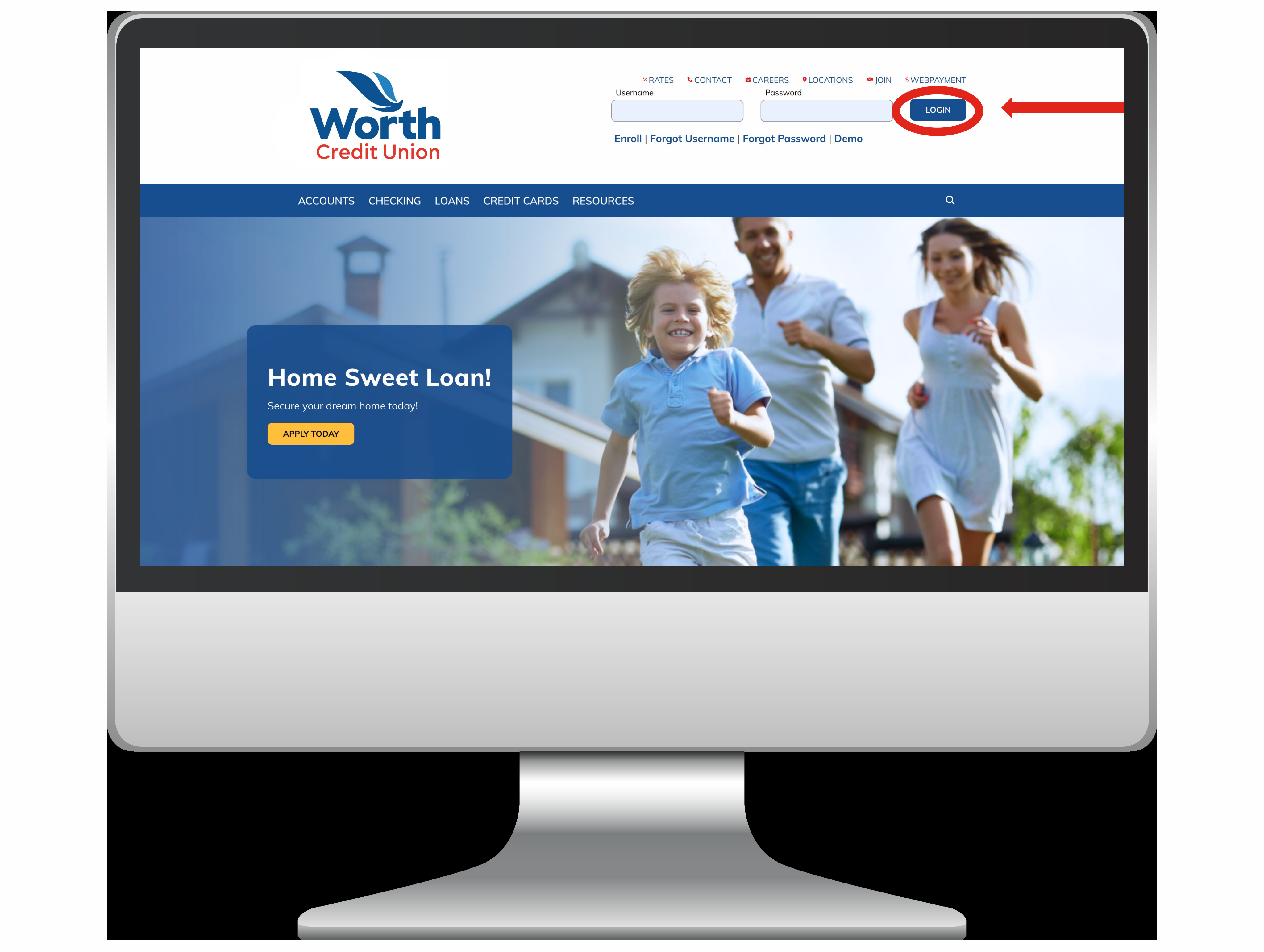
Login:
First you need to login to your account. You can do this thought Online Banking or our WorthCU App.
Step 2
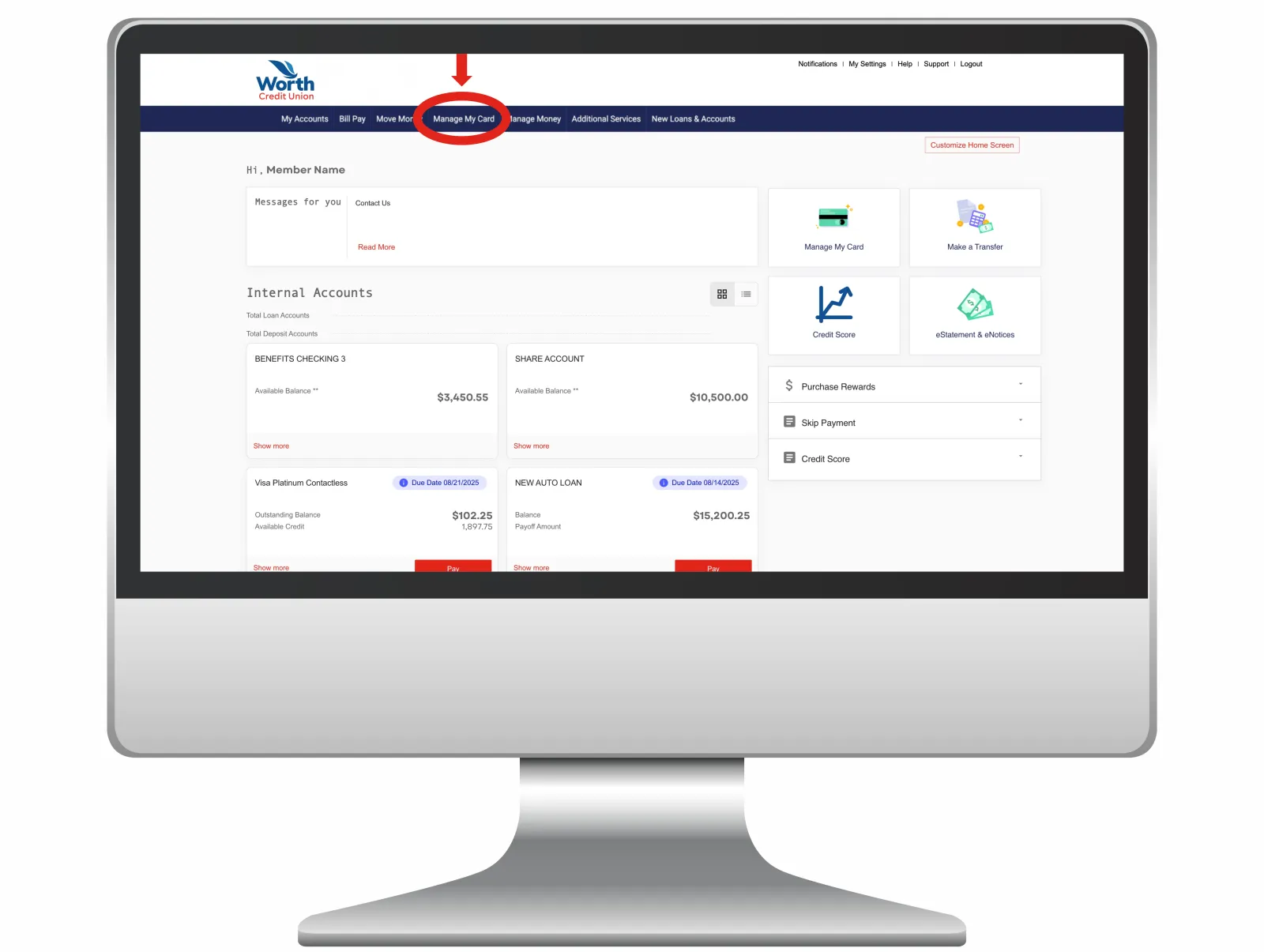
Accounts Home Page:
Once you're logged in, your Accounts Home Page will appear. At the top of the screen, you'll see a blue menu bar. In the center of that bar, select the tab labeled “Manage My Card.” Click it to continue.
Step 3

Card Management:
Now you’re on the Card Management page. From here, you can turn your card on or off, report it lost or stolen, set travel notices, customize card alerts, and request a replacement card.