
CU Rewards Where your points turn into rewards

Opening a Rewards Credit Card gives you access to unlimited perks and possibilities. From groceries and gas to entertainment and travel, your everyday spending turns into rewards that stack up fast. The more you use your card, the more you benefit—making it easy to treat yourself, cover life’s extras, or save big on future plans. It’s not just a credit card—it’s your gateway to endless rewards.

How It Works
Every time you use your Rewards Credit Card, you’re earning points—whether it’s for everyday purchases, dining out, or planning your next getaway. With every swipe, tap, or online checkout, your points add up quickly and never go to waste. Redeem them for the things you love most—travel, shopping, gift cards, cash back, and more. It’s rewards made simple, just for using your card the way you already do.
Unlock the perks of your card
View Your RewardsAccessing Your Rewards on Mobile

Step One
Open and log in to your WorthCU Mobile App using your credentials.
Step Two
Once you are on the main screen, look toward the bottom right-hand corner. You will see an icon with three dots labeled “More.” Tap on this option to continue.
Step Three
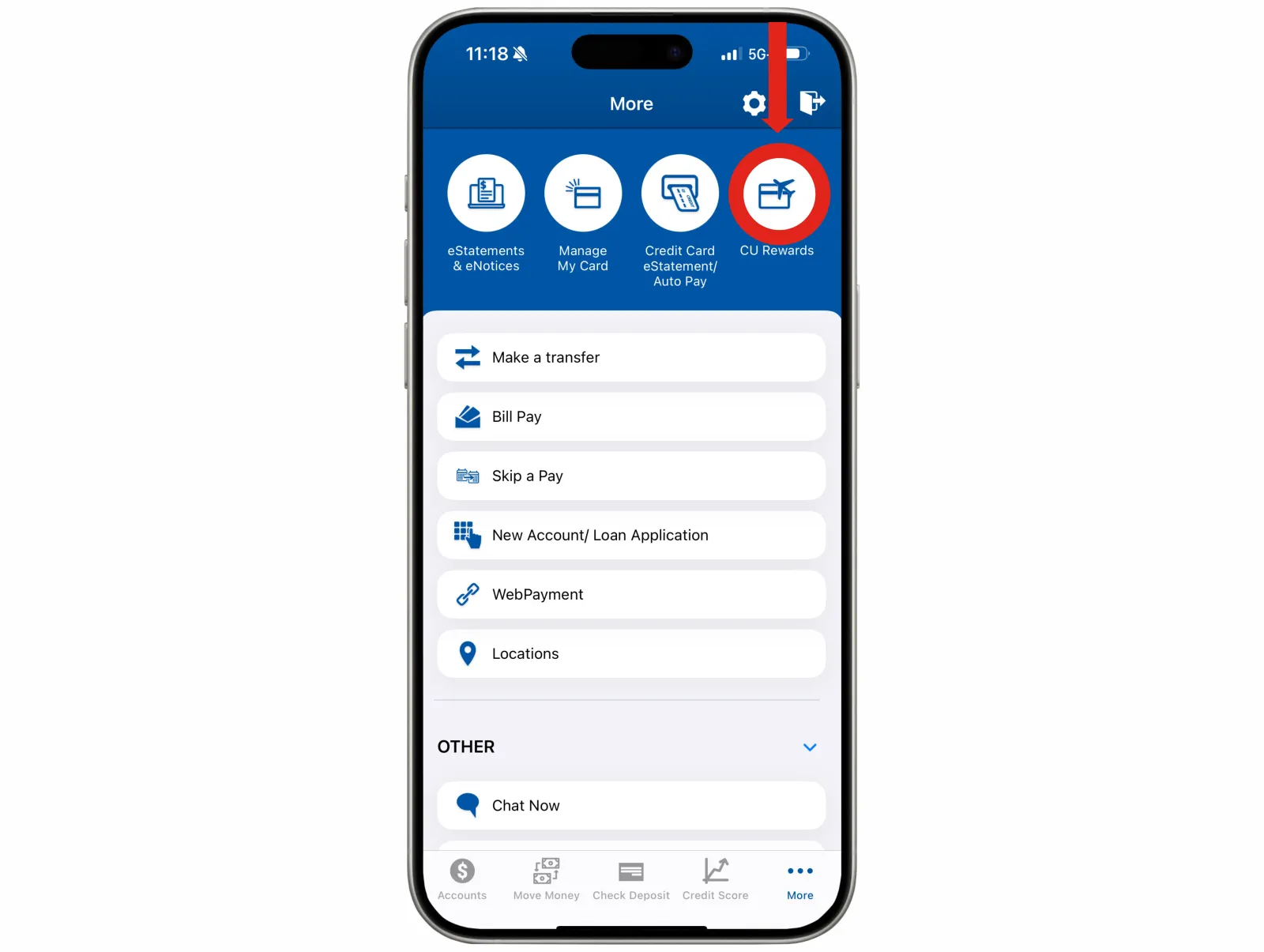
A new screen will appear displaying four circle icons at the top. Locate the icon on the far right labeled “CU Rewards.” Select this option to access and manage your rewards.
Accessing Your Rewards on Desktop
Step One
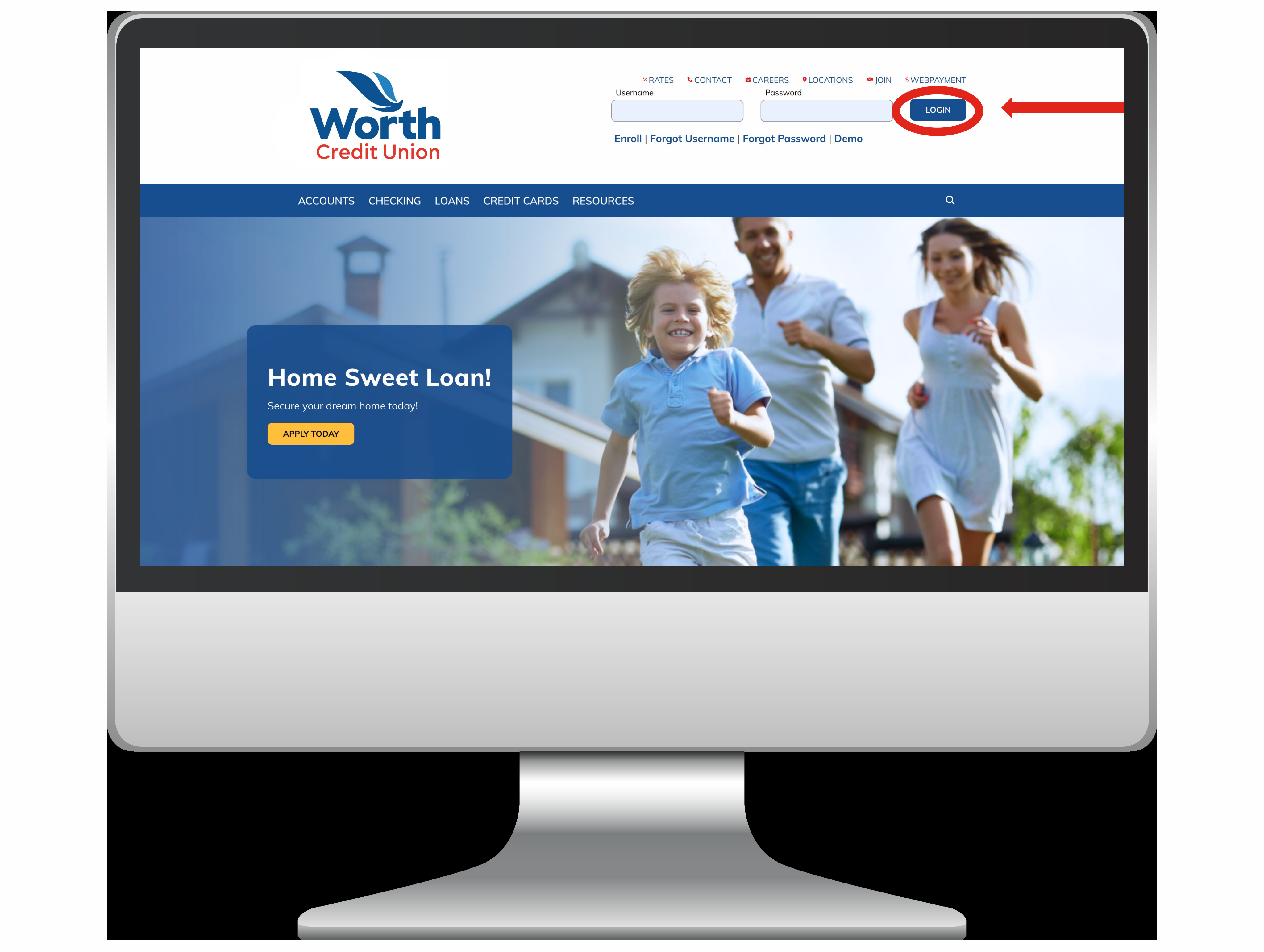
Navigate to the Home Page of our website. In the upper right-hand corner, you will see the Log In tab. Click on this tab to access your Home Banking account.

Step Two
Once you have successfully logged in, your account dashboard will appear. From the menu bar, locate and select the option labeled “Additional Services.”

Step Three
Within the “Additional Services” menu, click on “CU Rewards.” This will direct you to the CU Rewards portal, where you can view and manage your rewards.