Skip a Payment

Skip a Payment, Skip the Stress
Short on cash this month? Don’t stress — we’ve got you. With our Skip-a-Payment option, you can give your budget a little breathing room when you need it most. Whether an unexpected expense popped up or you just need a month to catch your financial breath, we’re here to help you stay on track without the pressure. Relax, regroup, and pick things back up next month — we’ve got your back.
Click to Skip — It’s That Simple
Login to online bankingStep by Step
Step 1
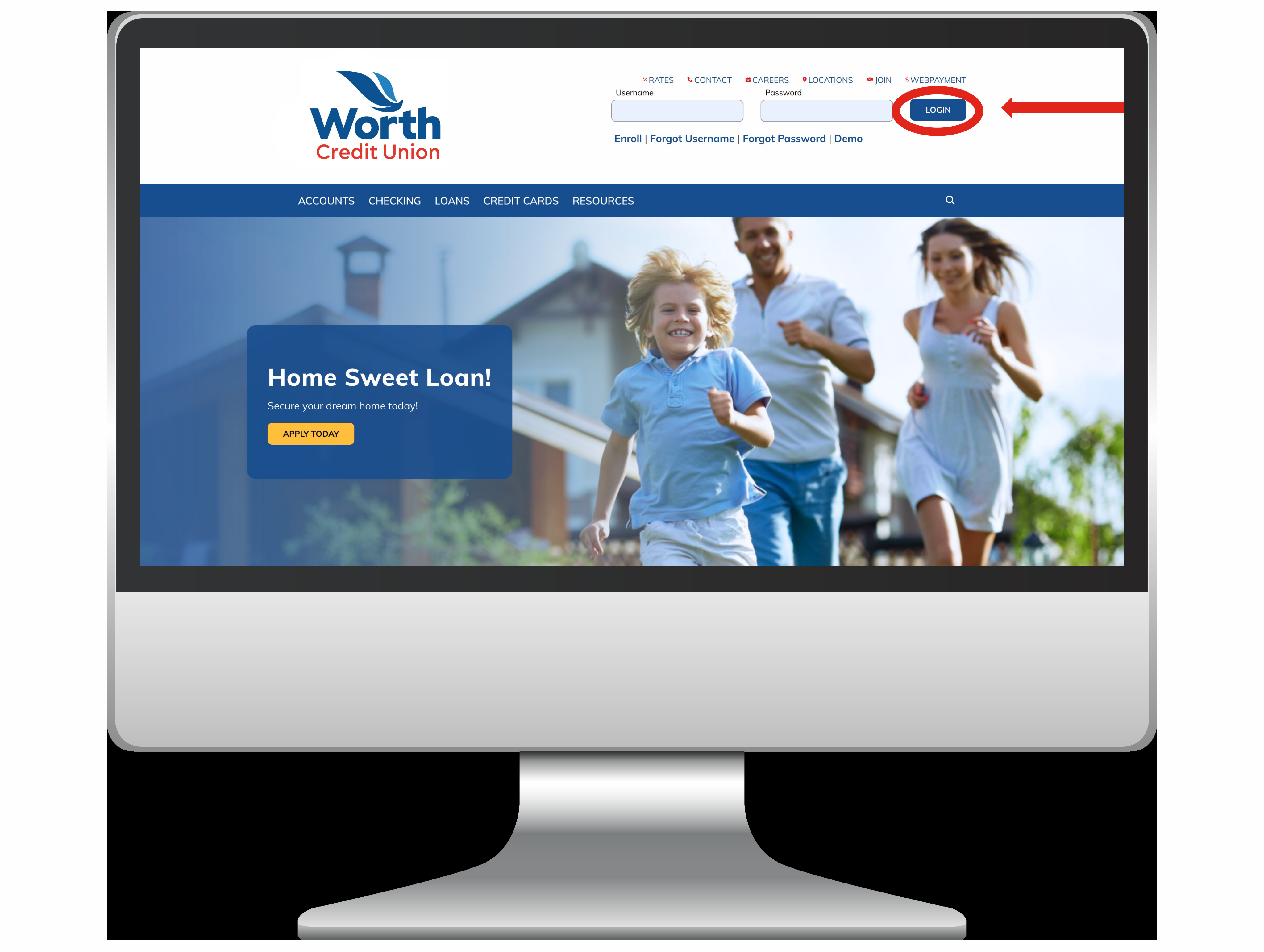
Login to Your Account:
To start, go to the Online Banking Login. Type in your username and password and login.
Step 2
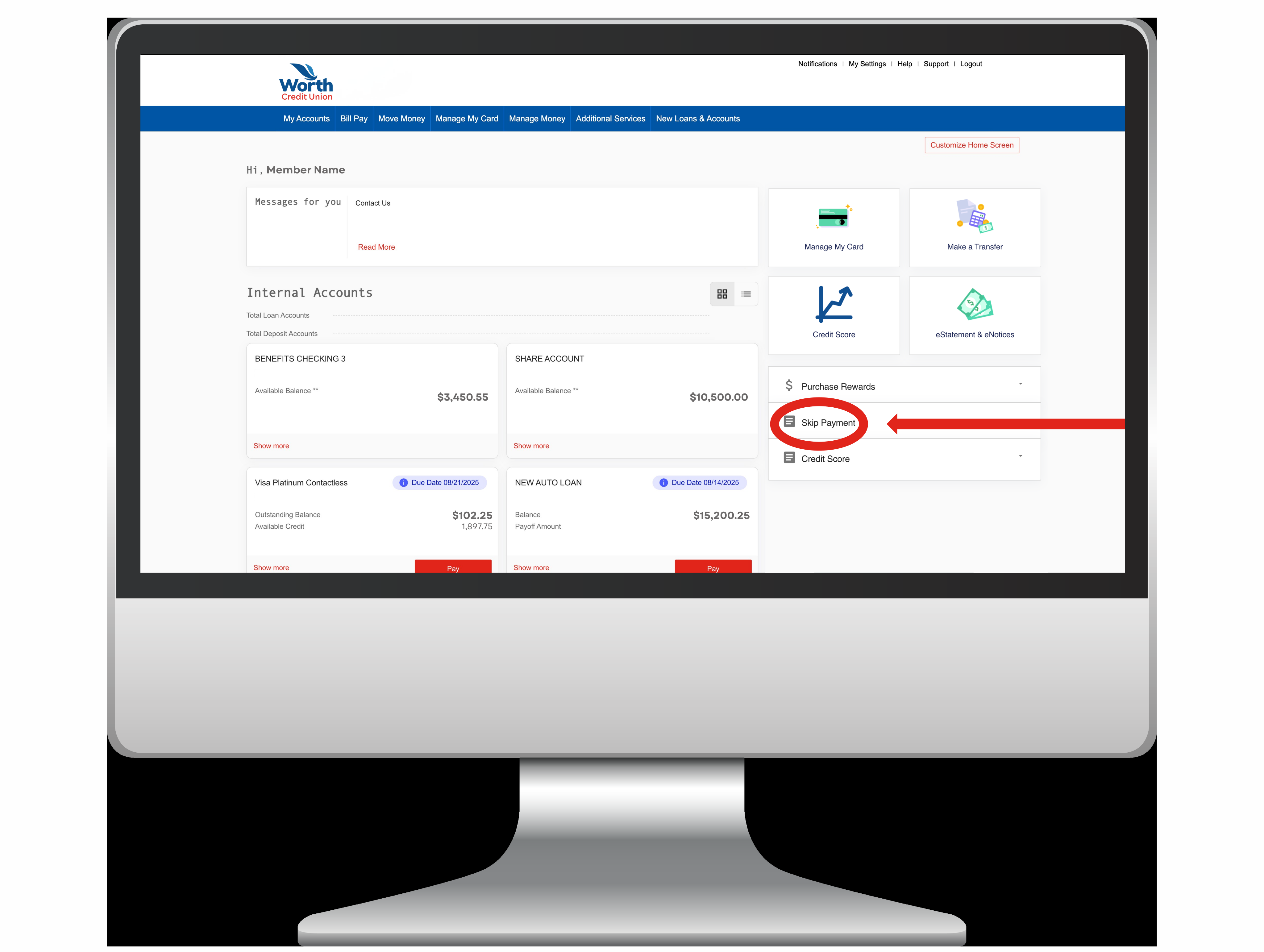
Account Access:
Once you are login, go to the right side of the screen. You will see a list of three options labeled "Purchase Rewards", "Skip a Payment", and "Credit Score". Select "Skip a Payment".
Step 3
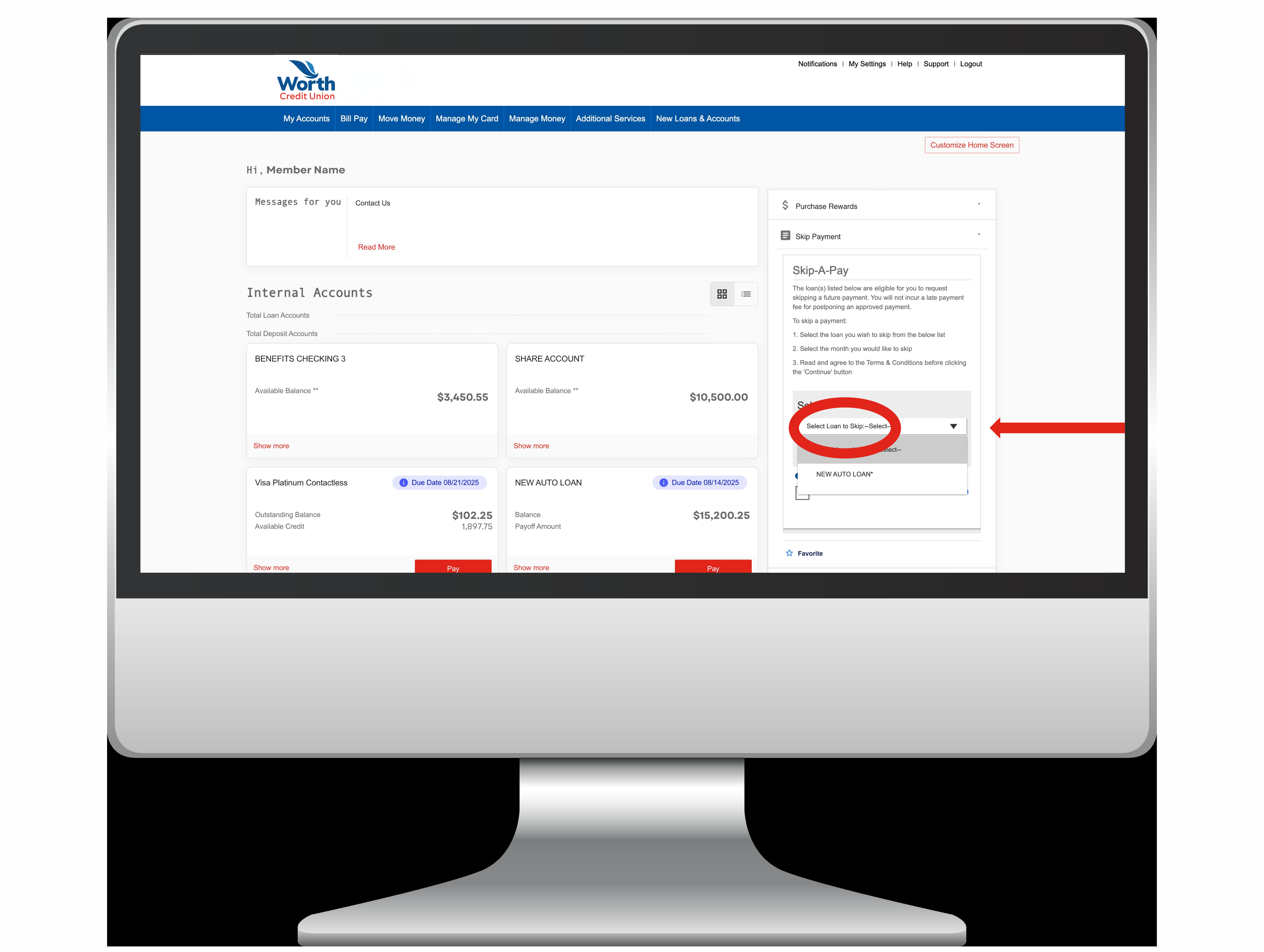
Select Loan:
A dropdown menu will pop up. Just pick the loan you’d like to skip this month.
Step 4
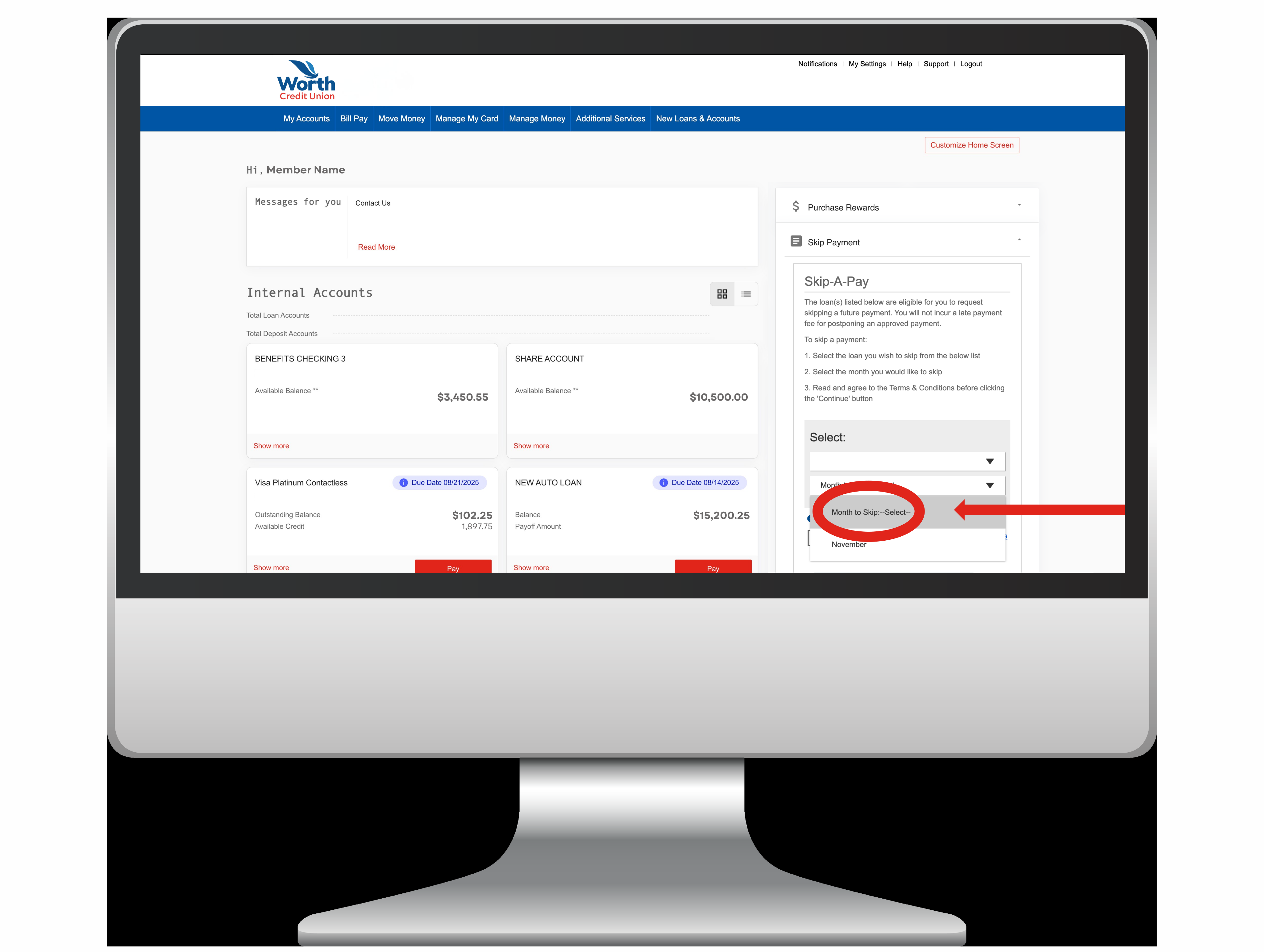
Select Date:
Below the “Select Loan” tab, you’ll see “Select Month to Skip.” Click that tab and a dropdown will appear. Choose the month or date you’d like to skip your payment.
Step 5
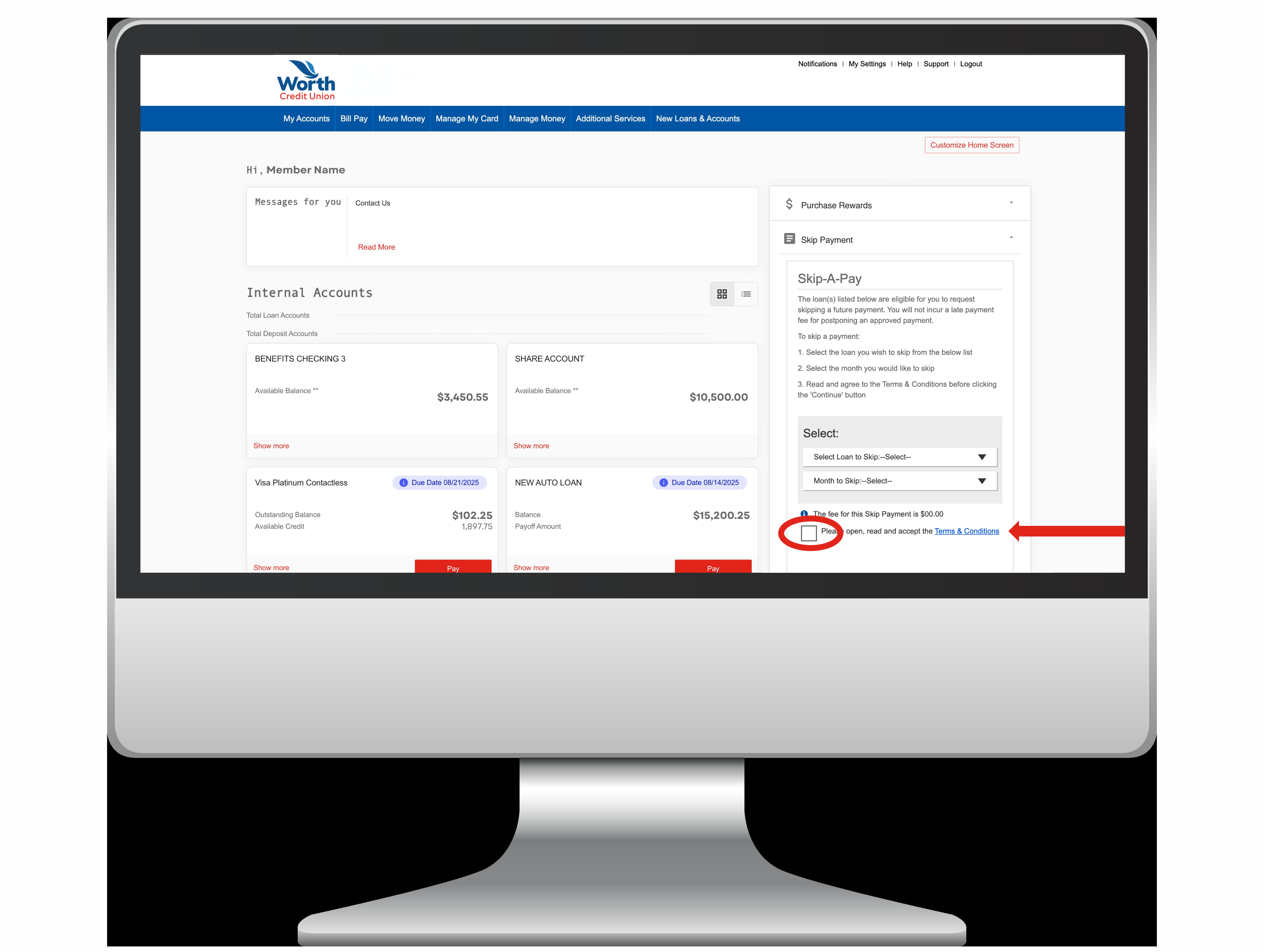
Review:
Last step: scroll down to the "Terms and Conditions". After reviewing them, mark the checkbox and hit "Submit". You’re done!