
Web Payment Make Payments Quickly and Securely

Our Web Payments service makes it easy to pay your WorthCU loans anytime, anywhere. With a few simple steps, you can make one-time payments or set up recurring payments directly from your computer or mobile device. It’s fast, secure, and convenient—giving you more time for what matters most.
How To Make a Web Payment
Step 1

Start at the Home Page:
Go to our homepage. In the upper right-hand corner, above the login button, you’ll see an option labeled “Web Payment.” Click on that link.
Step 2
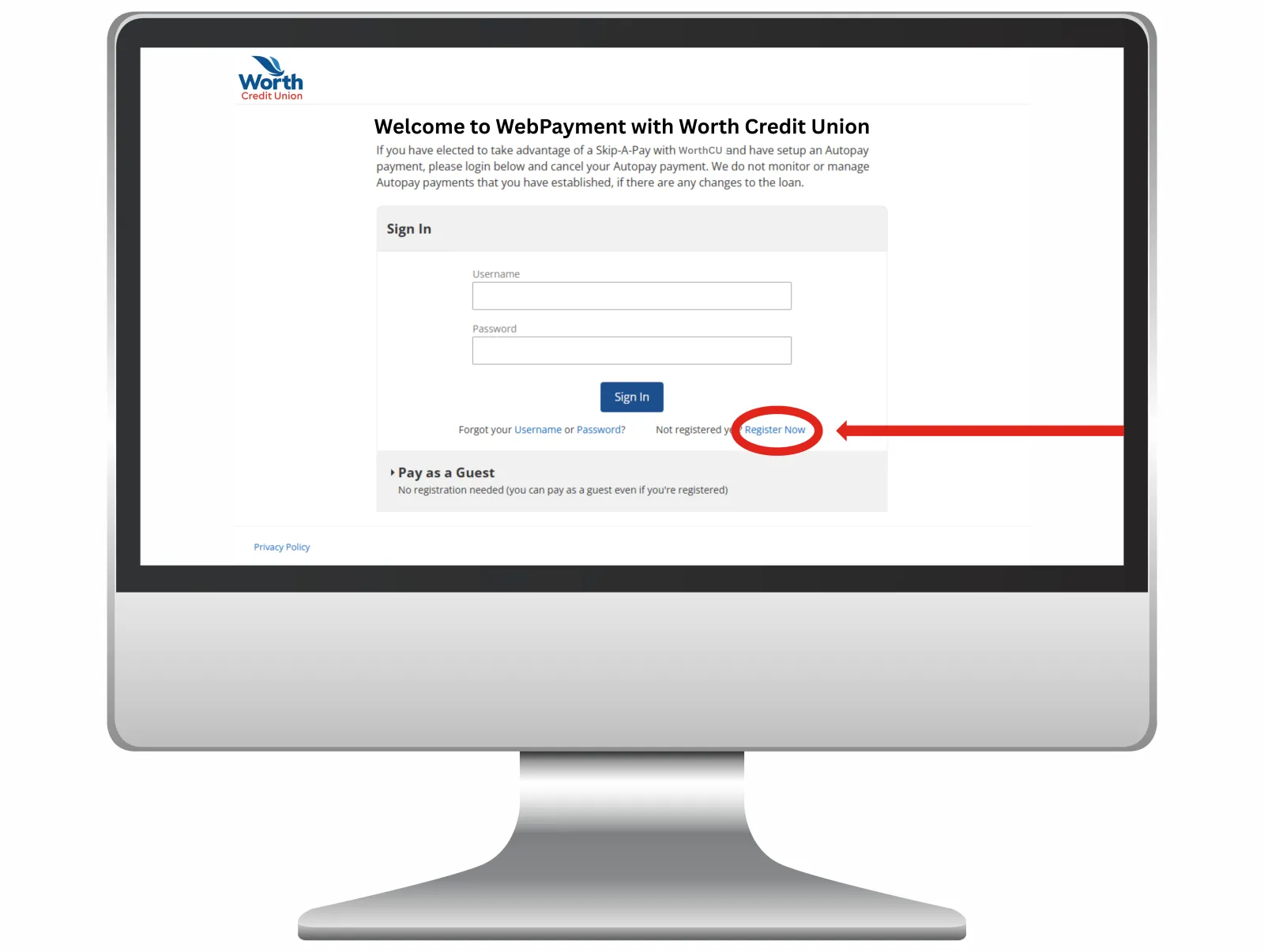
Register a New Account:
You’ll be redirected to the Web Payment page. Scroll down and click the “Register Now” button located near the bottom.
Step 3

Complete the Registration Form:
A new registration page will appear. Fill in all the required fields carefully.
Step 4

Complete the Registration Form:
Once everything is filled out, click the “Register” button at the bottom of the page to continue.
Step 5

Add Your Member Number:
After registering, you’ll be prompted to add your member number. Click “Add Member Number.”
Step 6

Choose a Payment Channel:
A dropdown menu will appear. Select the payment channel you prefer to use (such as credit card or access line of credit).
Step 7

Choose a Payment Channel:
Then, click the “Save” button located in the bottom right-hand corner.
Step 8

Select, Review, and Authorize the Payment Details:
Choose the amount you want to pay and select the account you'd like the payment to come from.
Carefully review the payment details and read the payment authorization. Once reviewed, check the box to agree to the terms.
Finally, click the “Pay” button at the bottom of the page to complete your transaction.
You’re all set!