
Update Personal Information How To Change Your Address or Phone Number

It’s important to keep your contact information current so we can stay in touch and keep your accounts secure. Whether you’ve moved, changed your phone number, or updated other personal details, updating your information is quick and easy. Staying current helps ensure you receive important account alerts, statements, and other communications without delay.
Step 1
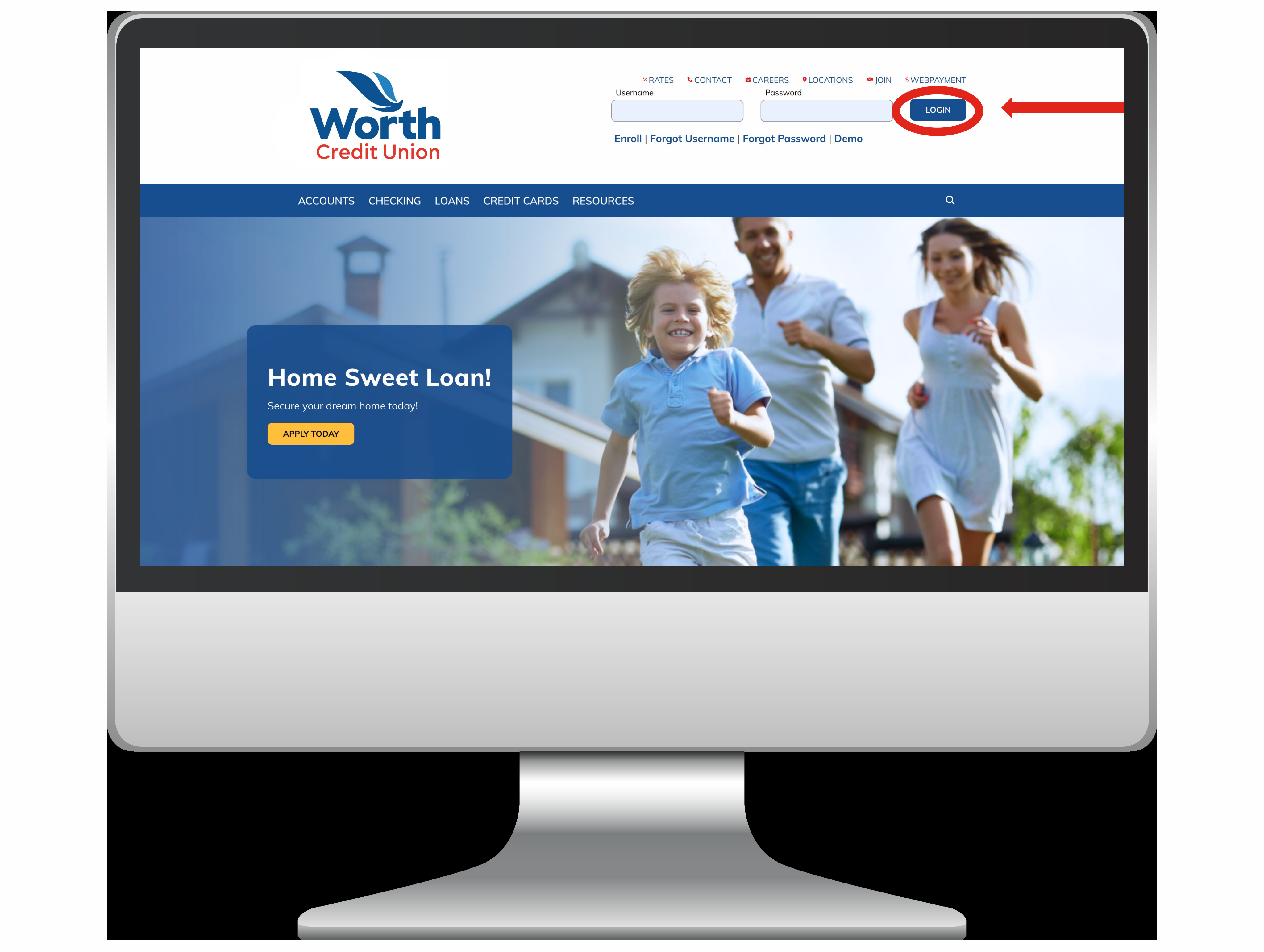
Log in to Your Account:
Start by logging into your WorthCU Online Banking account using your username and password. Make sure you are on a secure device and connection to keep your information safe.
Step 2
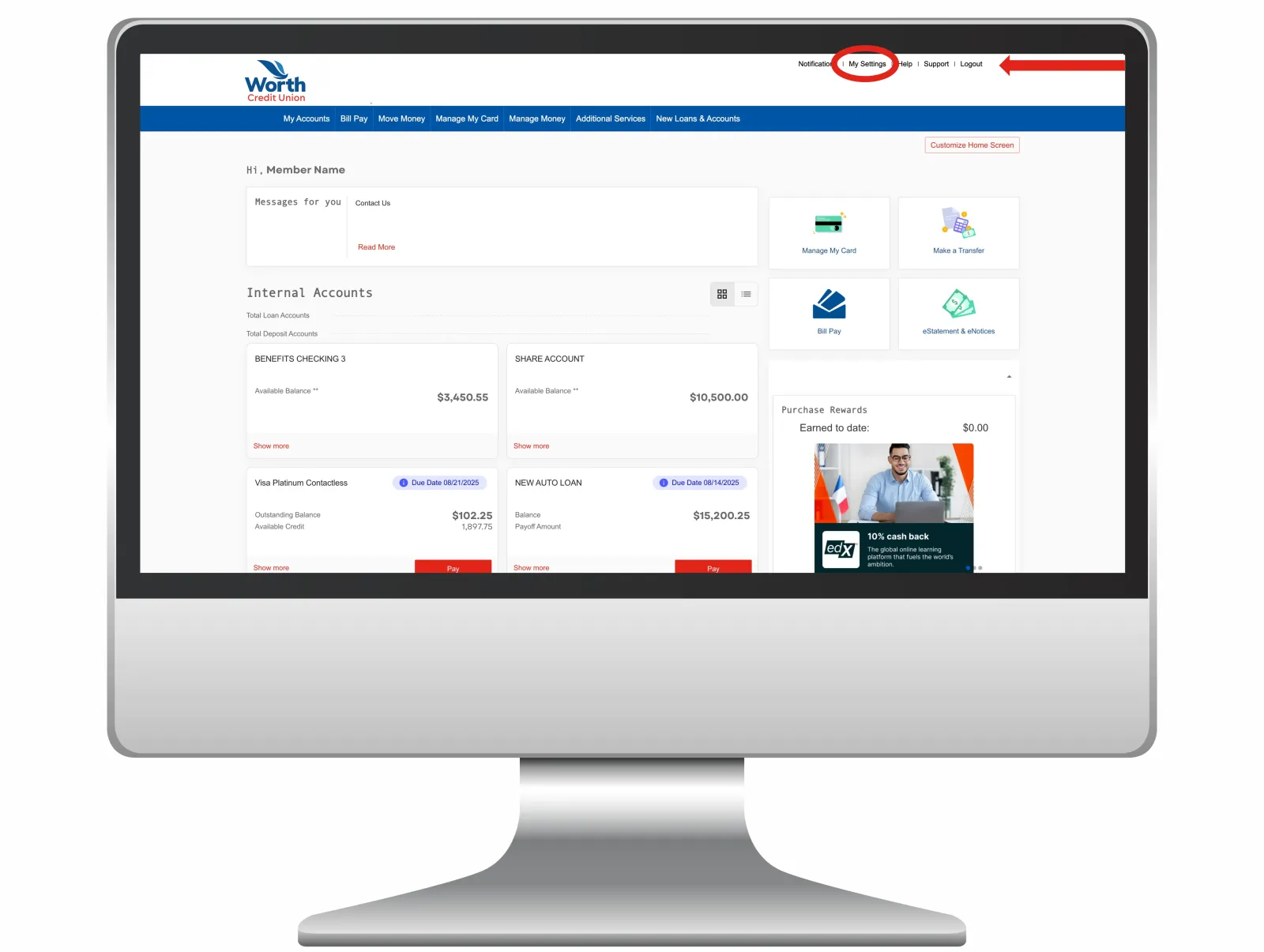
Access “My Settings”:
Once logged in, look at the top right-hand corner of the page and click on the “My Settings” tab. This will take you to the page where you can update your personal information.
Step 3
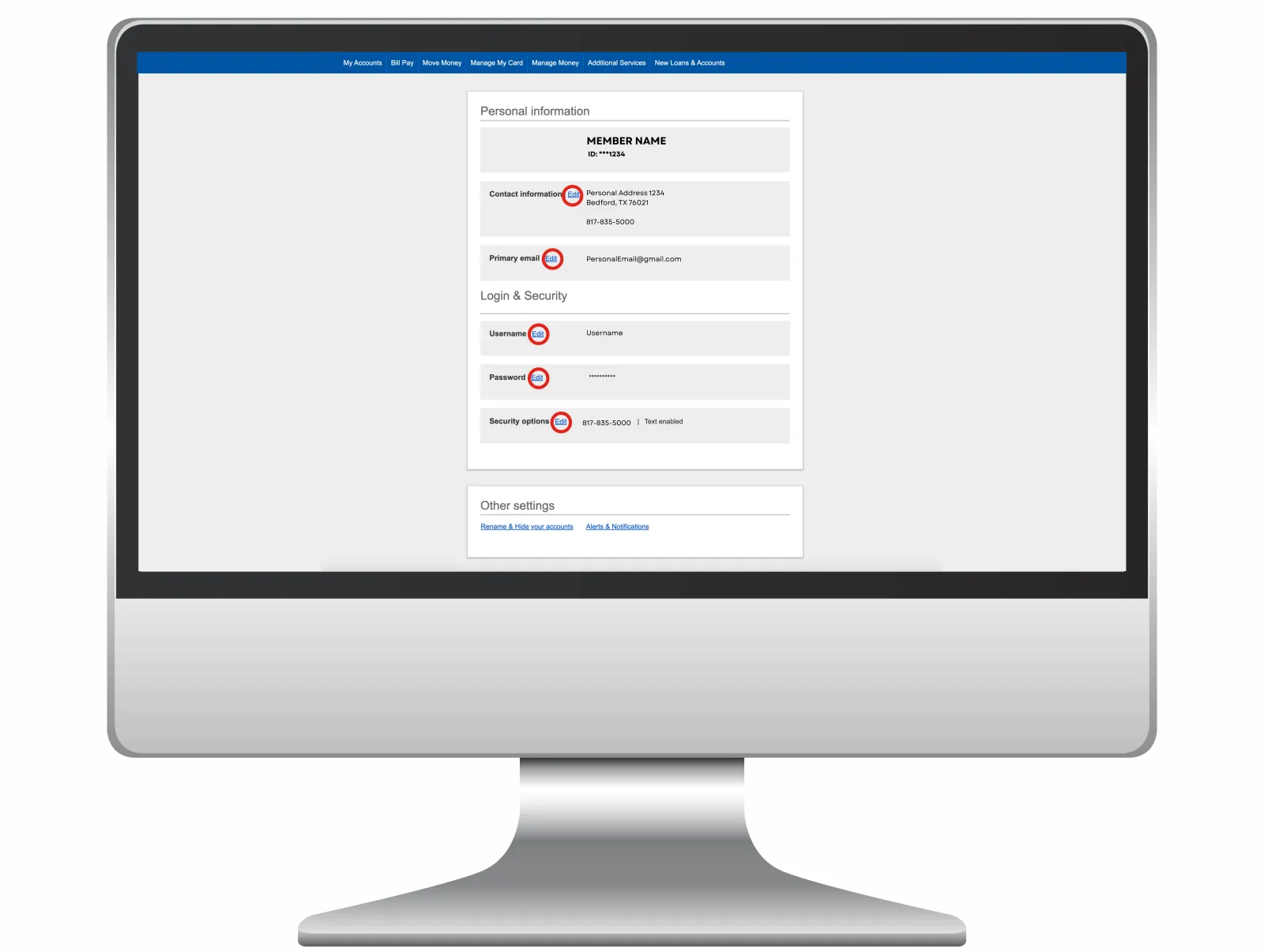
Update Personal Info:
On the “My Settings” page, you’ll see several sections marked with red circles. Each red circle highlights a different piece of information you can edit, such as your address, phone number, or email. Click on the circle for the section you want to update, make your changes, and save them.
After updating all the necessary information, review everything to make sure it’s correct. Once you’ve confirmed your updates, you’re all done! Your account now reflects your current contact information.